ORACLE · ENTERPRISE BANKING · UX CASE STUDY

Modernizing complex
branch banking workflows.

A research-led redesign that helps branch employees find tasks faster, preserve customer context and complete regulated servicing work with confidence.

RolePrincipal UX Designer
ScopeBranch servicing · CASA · Deposits · IRA
CollaborationProduct · Engineering · Banking SMEs · Redwood
Explore the case study
01 · Product Summary

Oracle Branch Banking

Oracle Branch Banking supports everyday servicing activities performed by branch employees across customer accounts, deposits, IRA/CD products, teller transactions and approval workflows.

The redesign focused on making complex enterprise workflows easier to discover, understand and complete while preserving the controls required for regulated banking operations.

My focus

Navigation and information architecture, task-focused servicing, persistent customer context, maker-checker interaction, usability validation and design consistency across banking modules.

Project details

Role
Principal UX Designer

Duration
Ongoing

Collaboration
Product, engineering, banking SMEs and the Redwood design-system team

Scope
Branch servicing, Accounts, Deposits, Loans, IRA, maker-checker workflows and Oracle Banking Origination

02 · Problem Statement

Branch staff were spending too much effort navigating the system

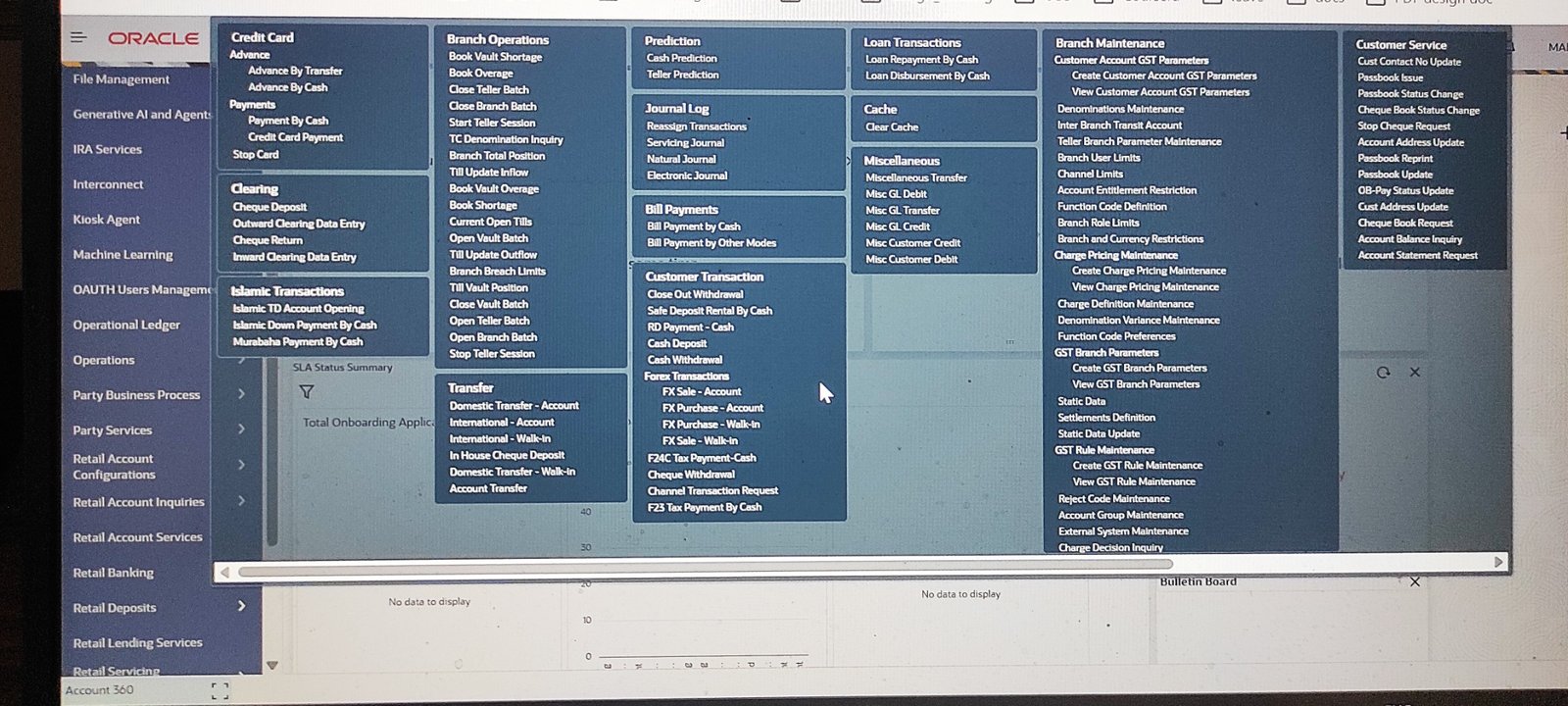
The legacy experience had grown around a large number of functions and screens. Employees frequently had to scan long menus, switch context, find customer information again and move through dense forms before completing a transaction.

Too many entry points

Large menu structures made task discovery slower and more dependent on product knowledge.

Fragmented customer context

Important customer and account information was not always visible when users needed it.

Workflow friction

Overloaded screens, repeated navigation and approval hand-offs increased effort during customer servicing.

03 · User Research

Understanding who works in the branch and how their goals differ

I worked with banking SMEs, business analysts, sales and product teams to understand branch roles, their goals, operational pressures and the friction created by the existing application.

Personas

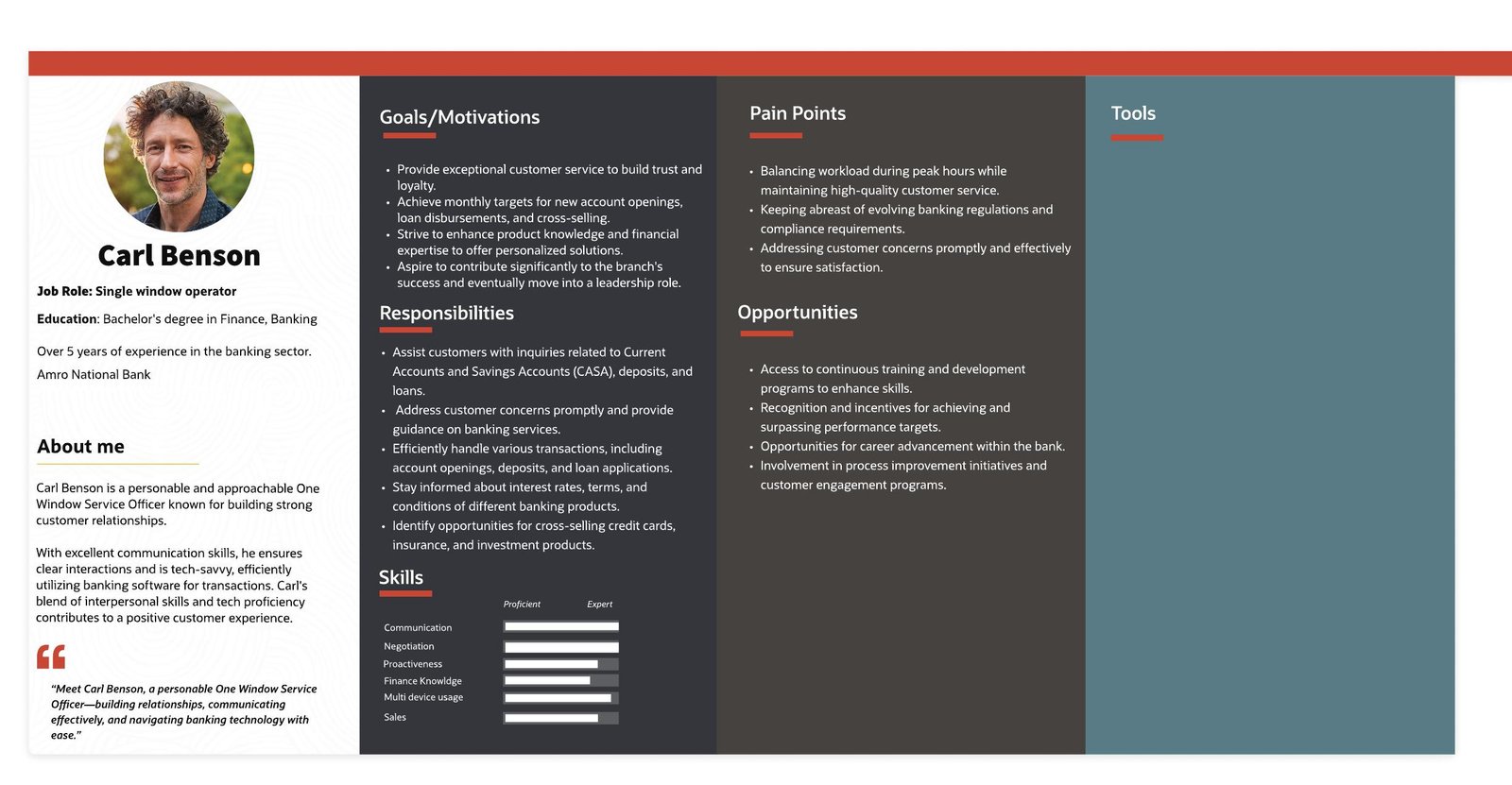
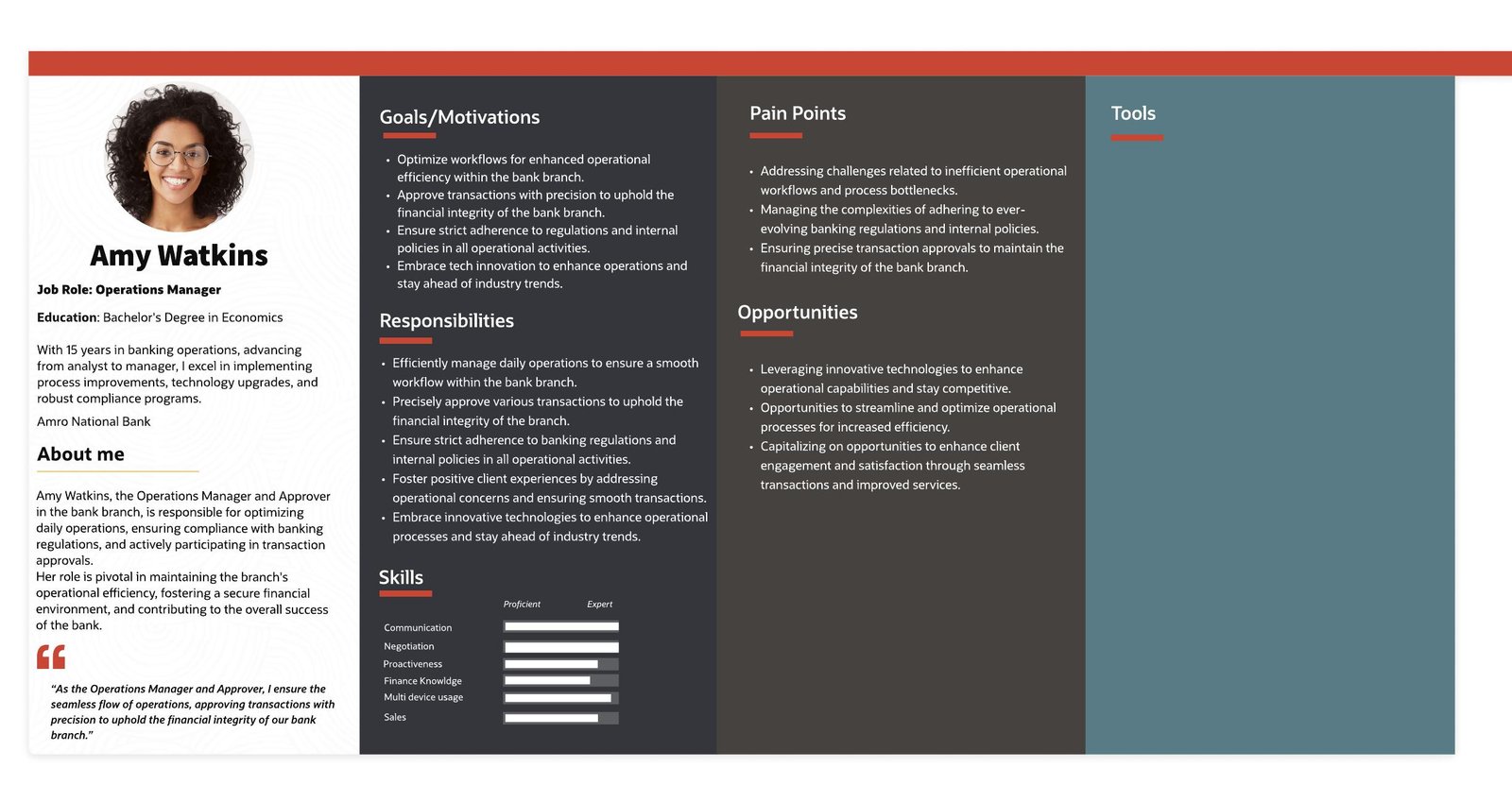
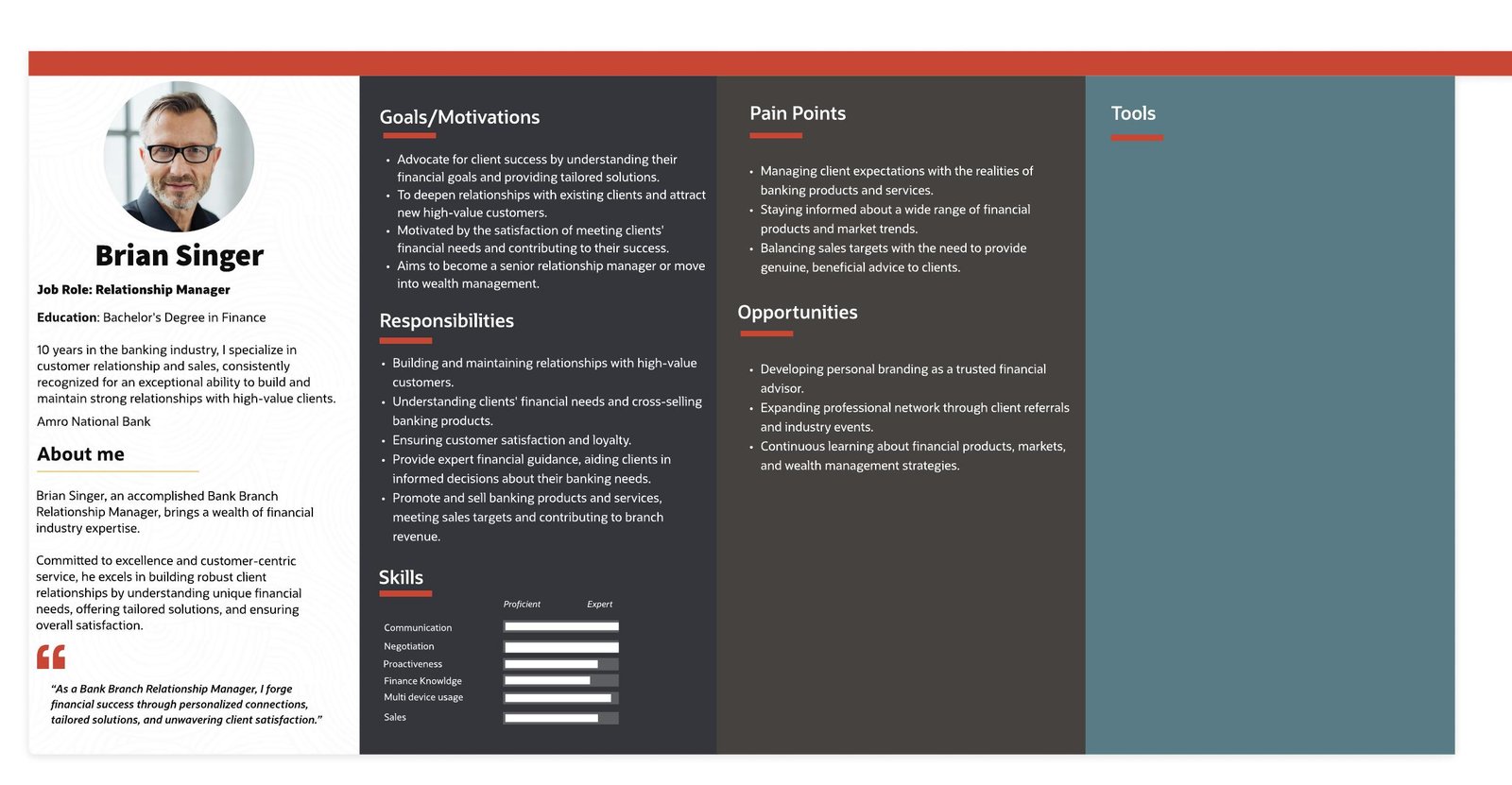
The research separated four important branch roles instead of treating everyone as one generic user. Each persona captured responsibilities, pain points and the context in which they use the banking application.

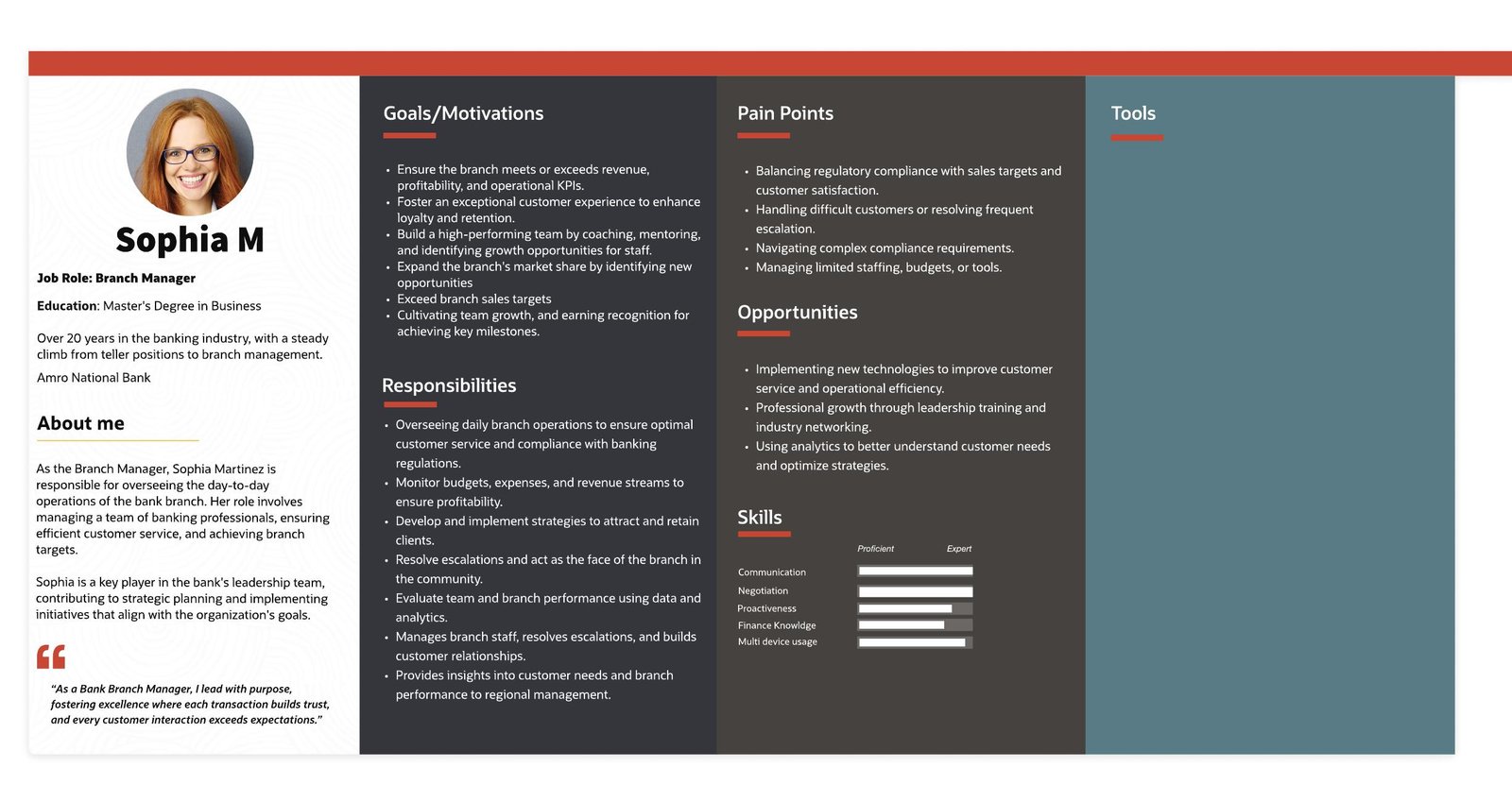
Branch Manager persona
Branch ManagerOperations, service, compliance, sales and team performance.
Single Window Operator persona
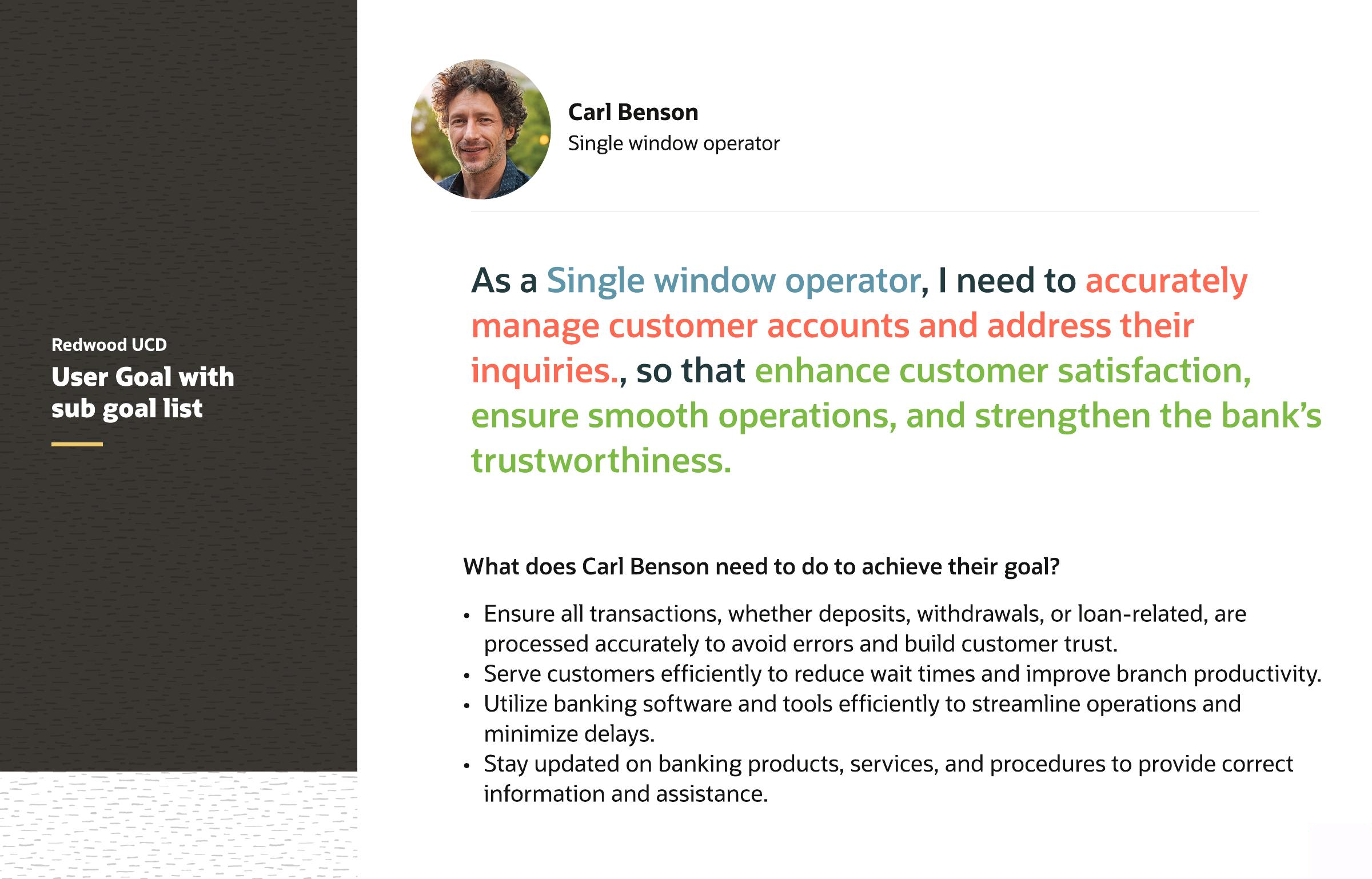
Single Window OperatorCustomer servicing, transactions and multiple activities in one session.
Account Servicing Manager persona
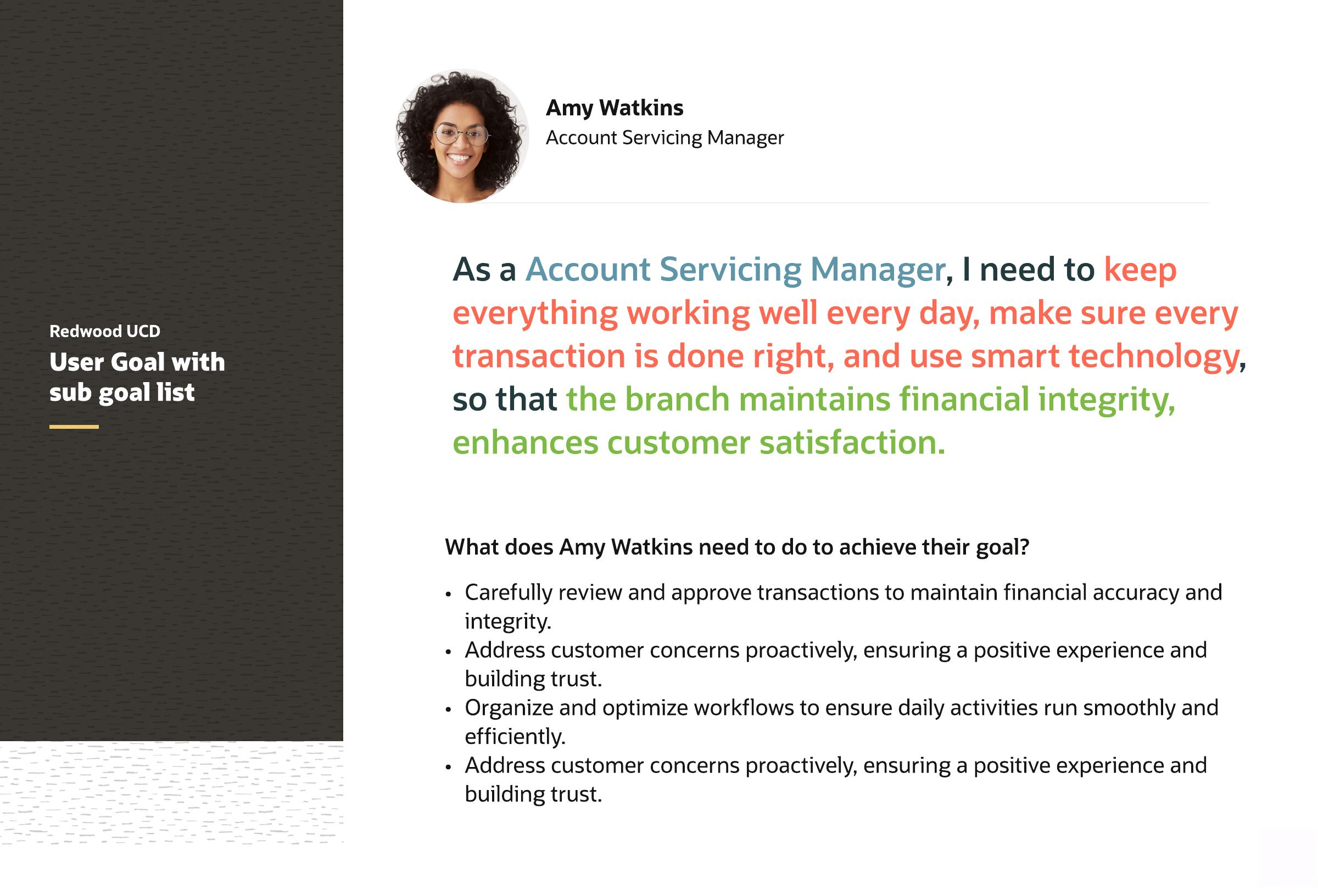
Account Servicing ManagerOperational efficiency, approvals, compliance and transaction accuracy.
Relationship Manager persona
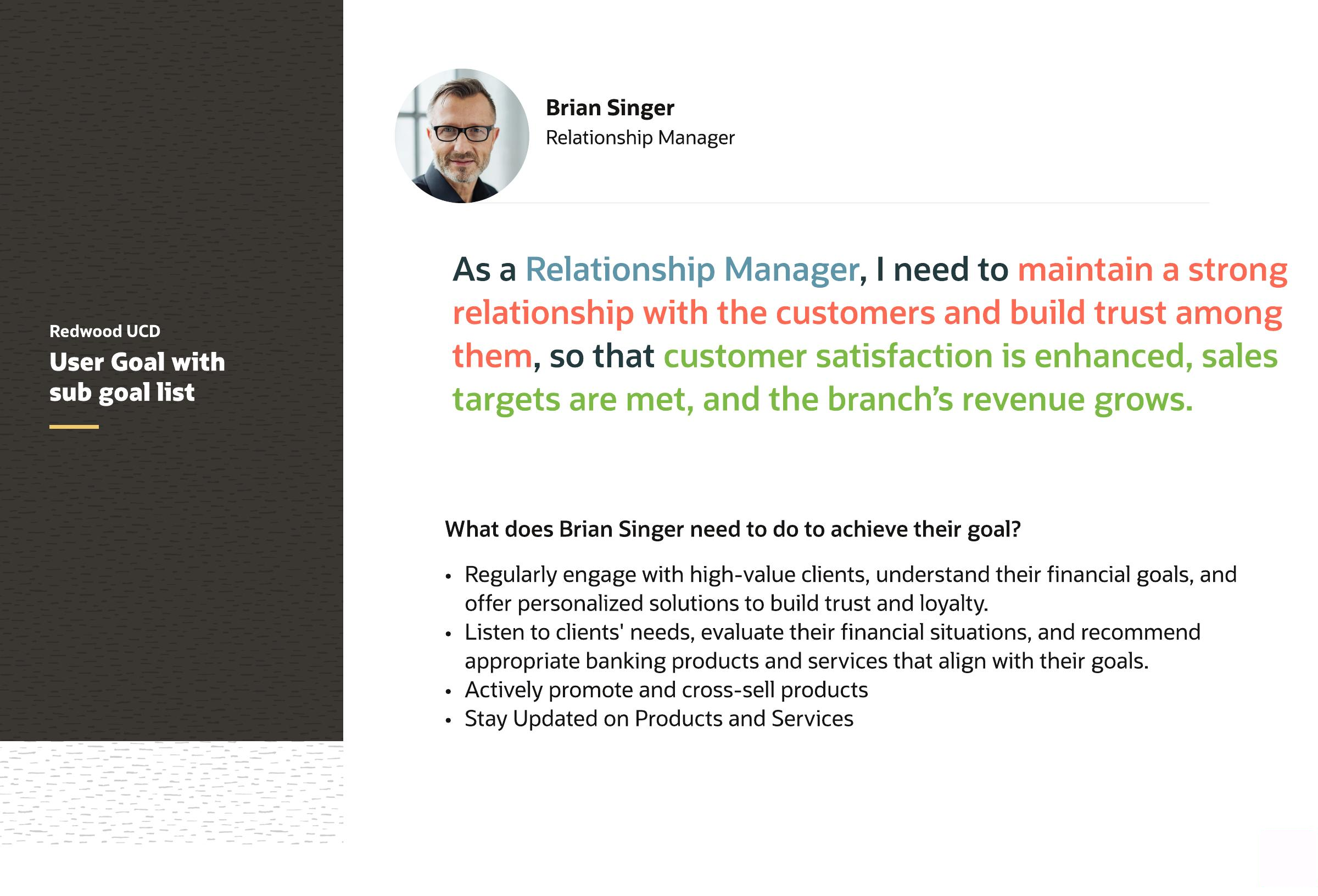
Relationship ManagerCustomer relationships, tailored solutions and revenue growth.

User Goals

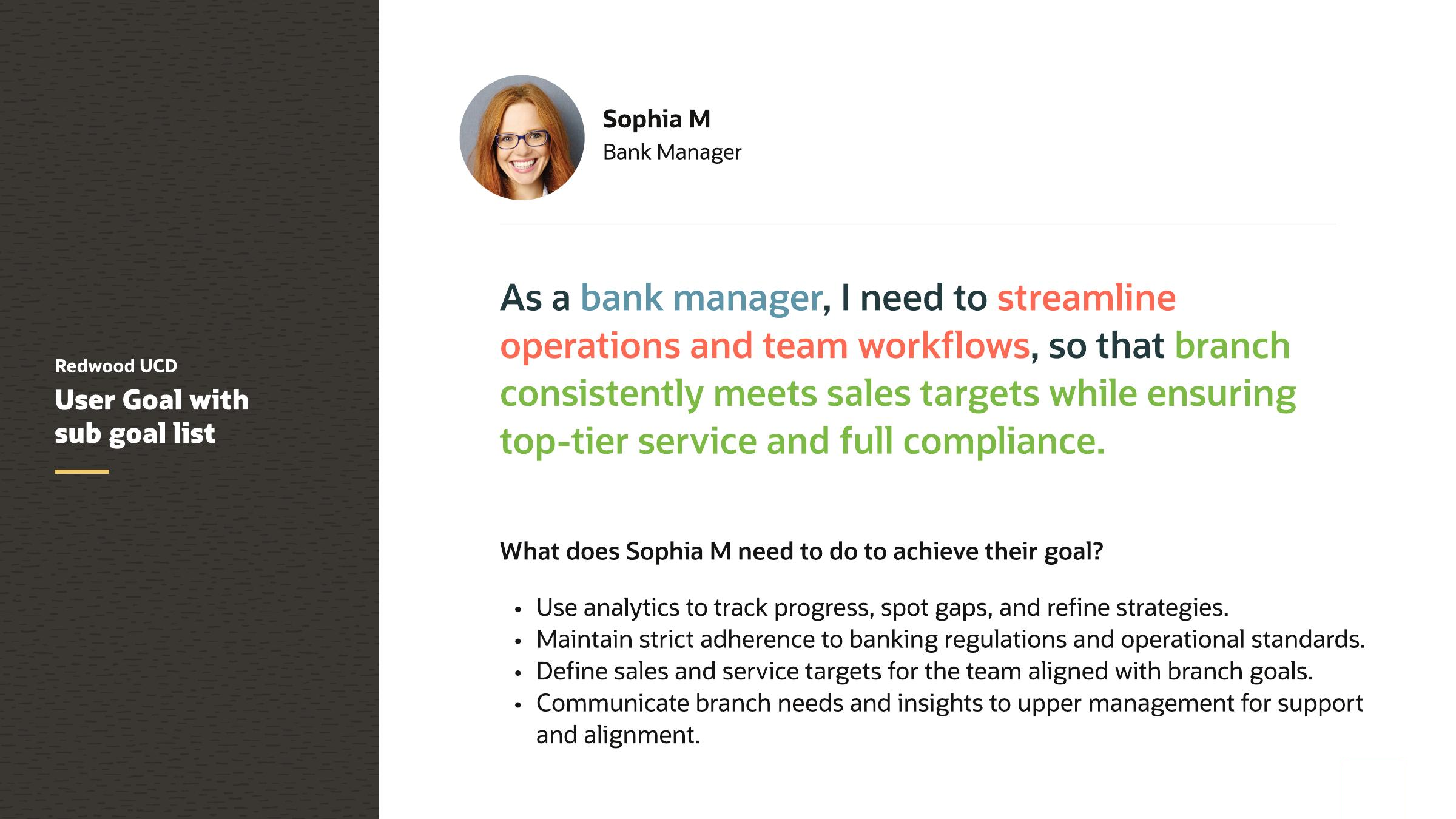
The persona work was translated into explicit user goals. This made it easier to judge whether a proposed workflow actually helped each role accomplish its work.

Branch Manager user goal
Branch Manager goal
Single Window Operator user goal
Single Window Operator goal
Account Servicing Manager user goal
Account Servicing Manager goal
Relationship Manager user goal
Relationship Manager goal

Shape of Data & Success Criteria

We also quantified the operating environment and defined measurable targets before moving into detailed design.

200Typical branch visitors / day
15 minTypical service wait / transaction
4 / hrTypical transactions processed by staff
98%Typical transactions processed without error

As-Is Script

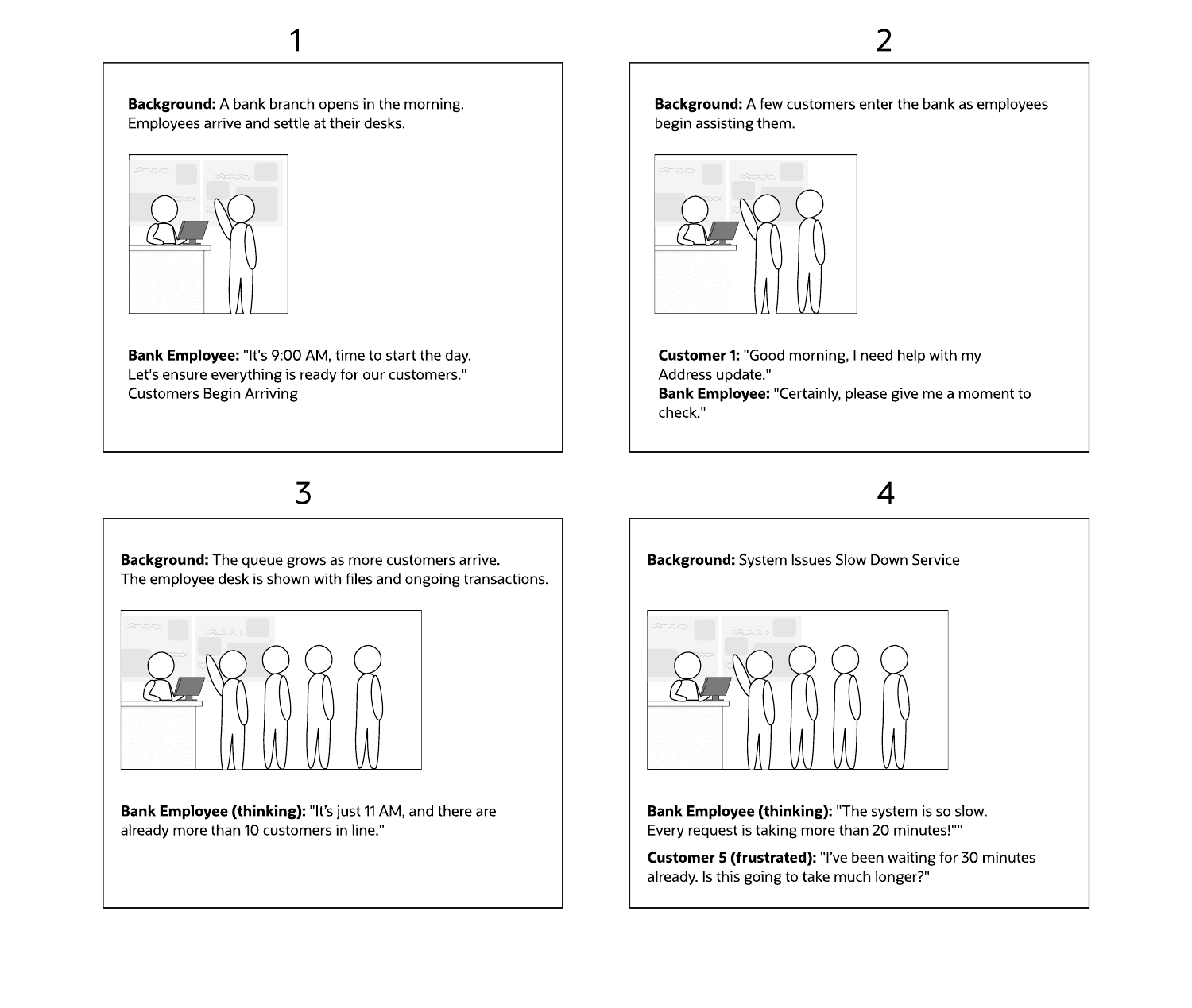
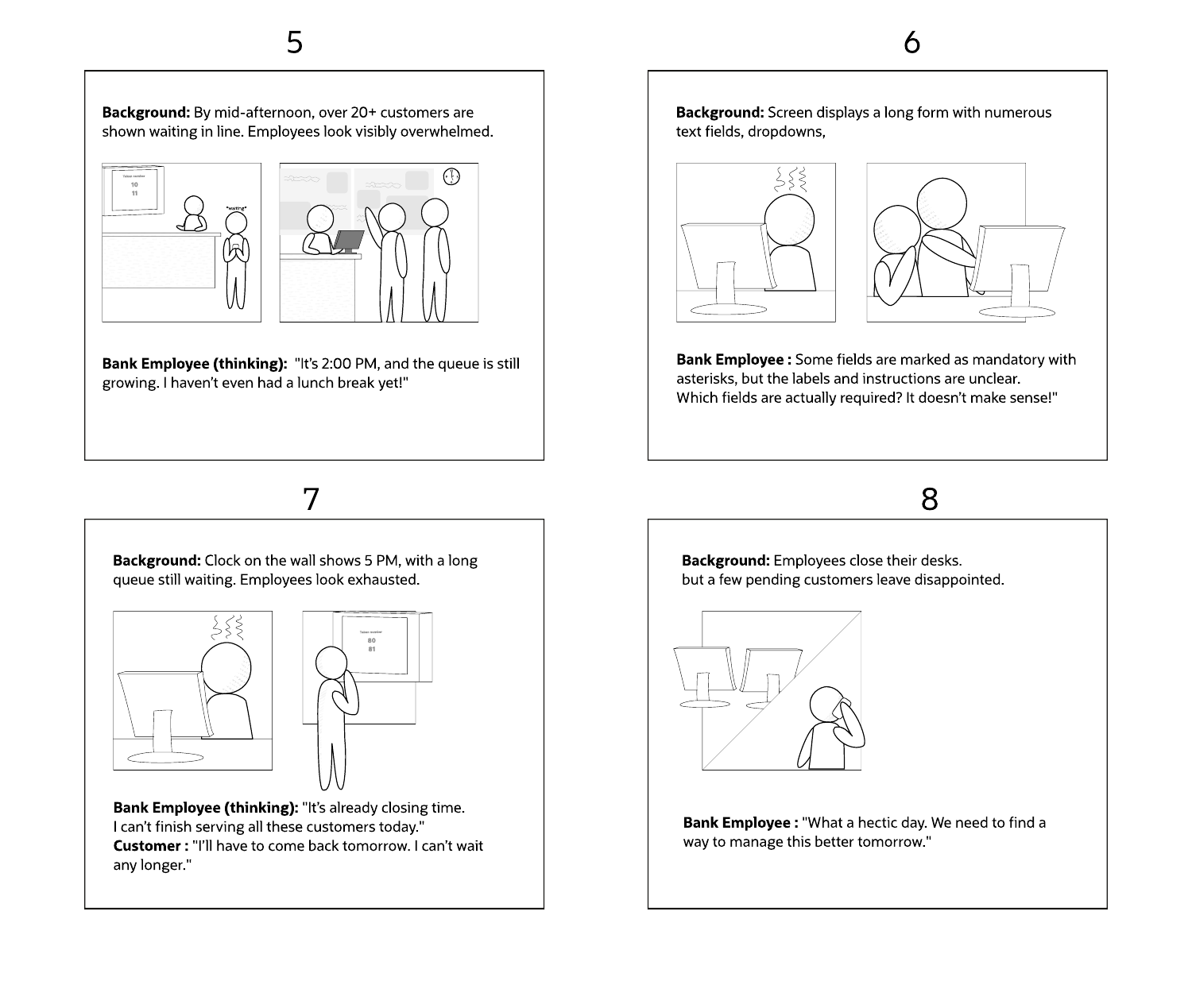
The current-state script made the pain visible as a story: queues grew through the day, requests took longer than expected, employees handled unclear forms and some customers left before receiving service.

As-Is Script first part
As-Is Script · Part 1Customer arrival, queue growth and increasing service time.
As-Is Script second part
As-Is Script · Part 2Long forms, employee overload and customers leaving without service.
This research created the bridge from persona → user goal → operating data → current-state pain → design decision, so the final screens were grounded in real branch work rather than visual preference.
04 · Key Design Decisions

Reducing the effort required to find the right banking task

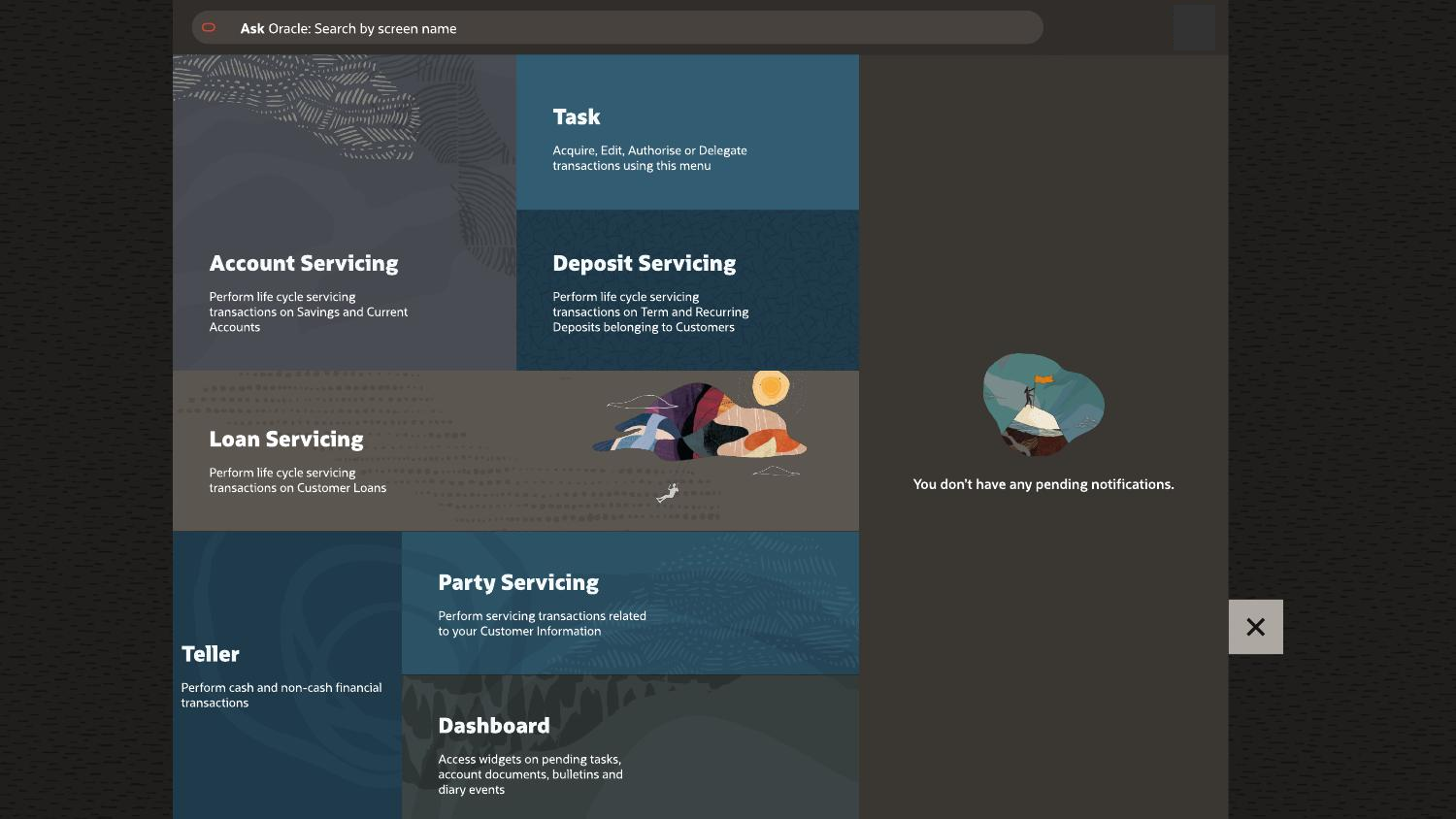
One of the biggest experience changes was how branch employees accessed functions. Instead of exposing the same large mega menu to every user, we reorganized navigation around role relevance, frequently used tasks and direct search.

Design decision 01

Mega menu → persona-based navigation

Decision

Reduce the large common menu and surface functions that are relevant to the logged-in user's branch role.

Why

Tellers, Single Window Operators, managers and other branch roles perform different jobs. Showing every function to everyone increased scanning and made common tasks harder to find.

Design decision 02

Bring frequently used tasks to the top

Decision

Prioritize the logged-in user's most-used functions at the top of the navigation experience.

Why

Branch work is repetitive. Users should not repeatedly scan the full menu to reach the same high-frequency transactions throughout the day.

Legacy banking mega menu
Before · Large shared menu Many functions were exposed together, increasing the amount of scanning required to find a task.
Role-based navigation and search
After · Relevant navigation + search Role-relevant tasks, frequently used functions and direct search create shorter paths to branch work.
05 · Prototype & Design

From research insights to a simpler servicing model

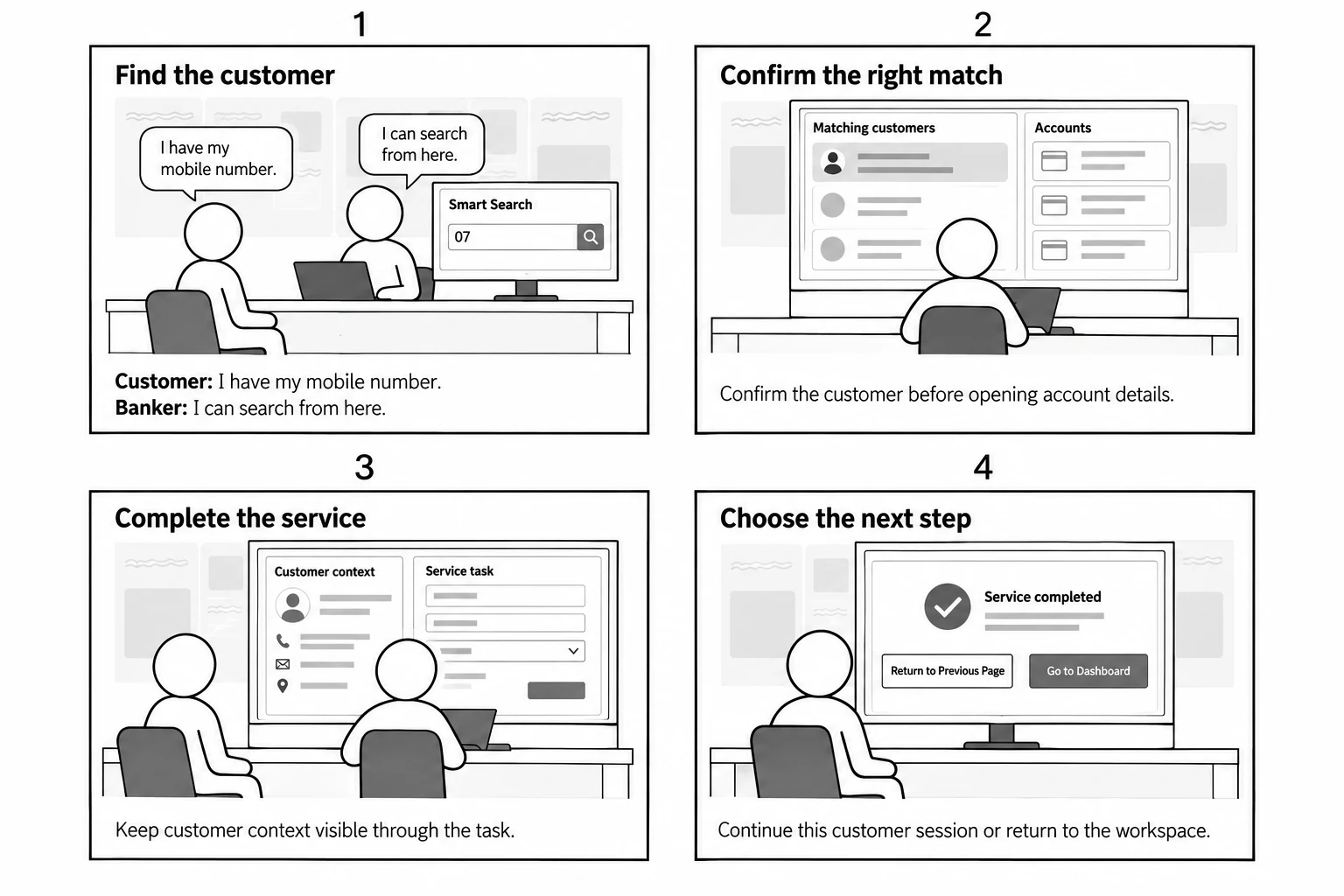
The design direction focused on reducing navigation effort, making task structure clearer, keeping customer context visible and using a consistent interaction model across different banking products.

01Find the task

Task-oriented navigation and search.

02Keep context

Customer and account details remain visible.

03Focus the screen

Break dense forms into clearer steps.

04Complete confidently

Clear status, review and next actions.

Research and design artifacts

Shown smaller here to keep the case study easy to scan.

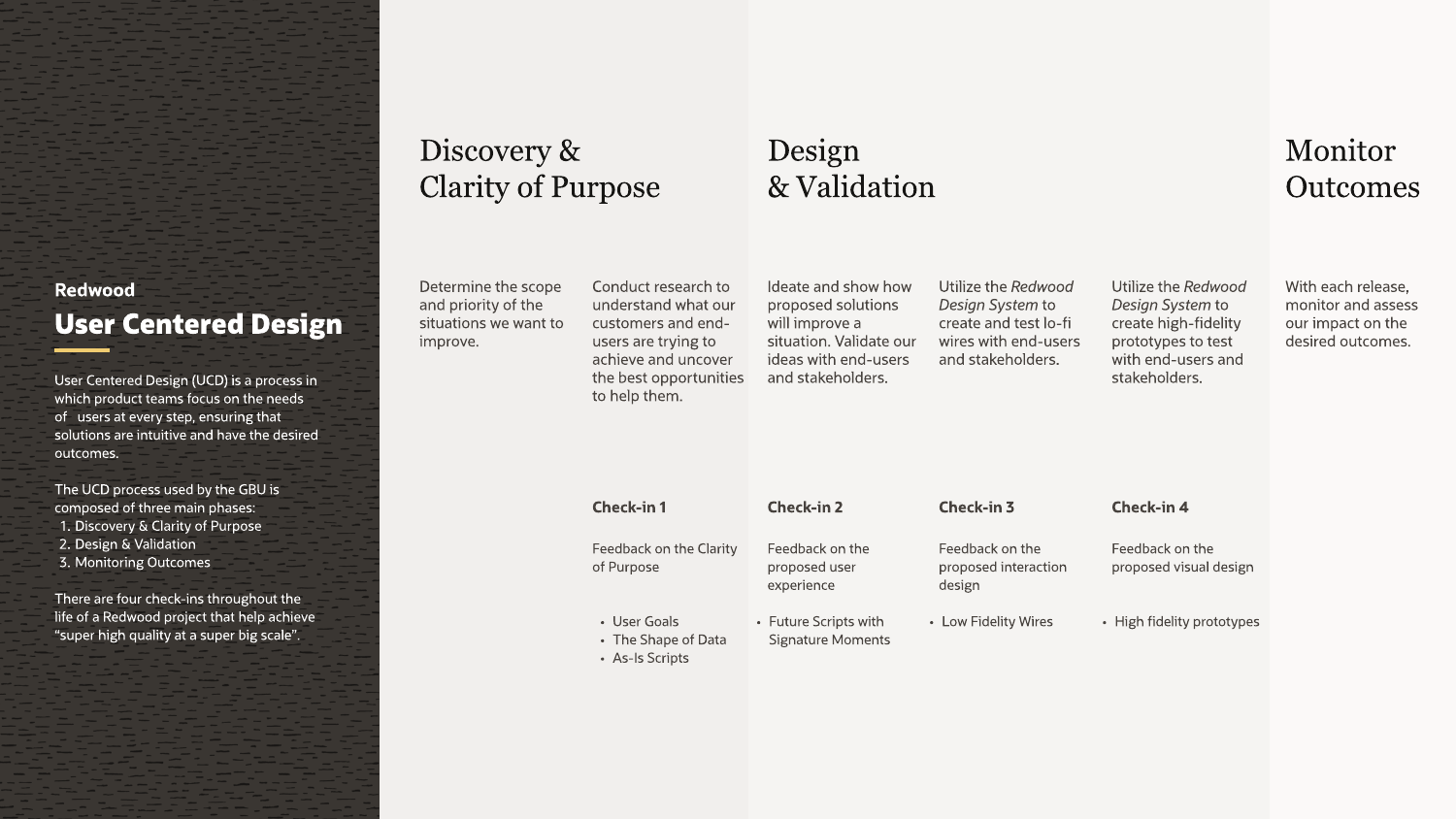
UCD process
Research

UCD Process

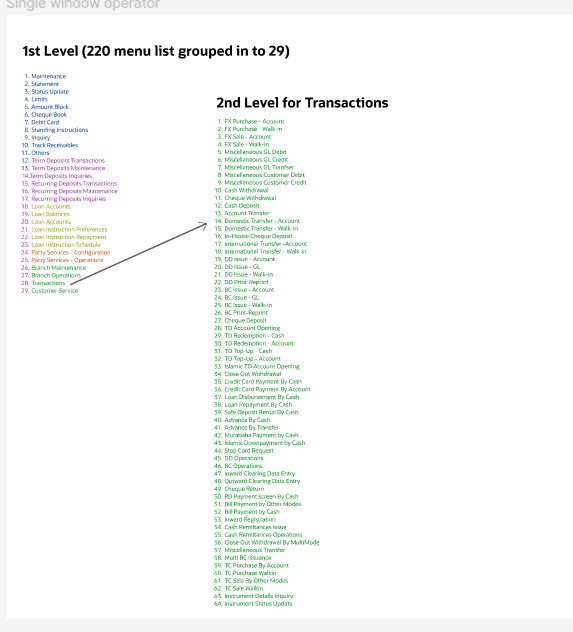
Menu grouping
Information Architecture

220 → 29 Menu Groups

Navigation redesign
Navigation

Task-oriented Shell

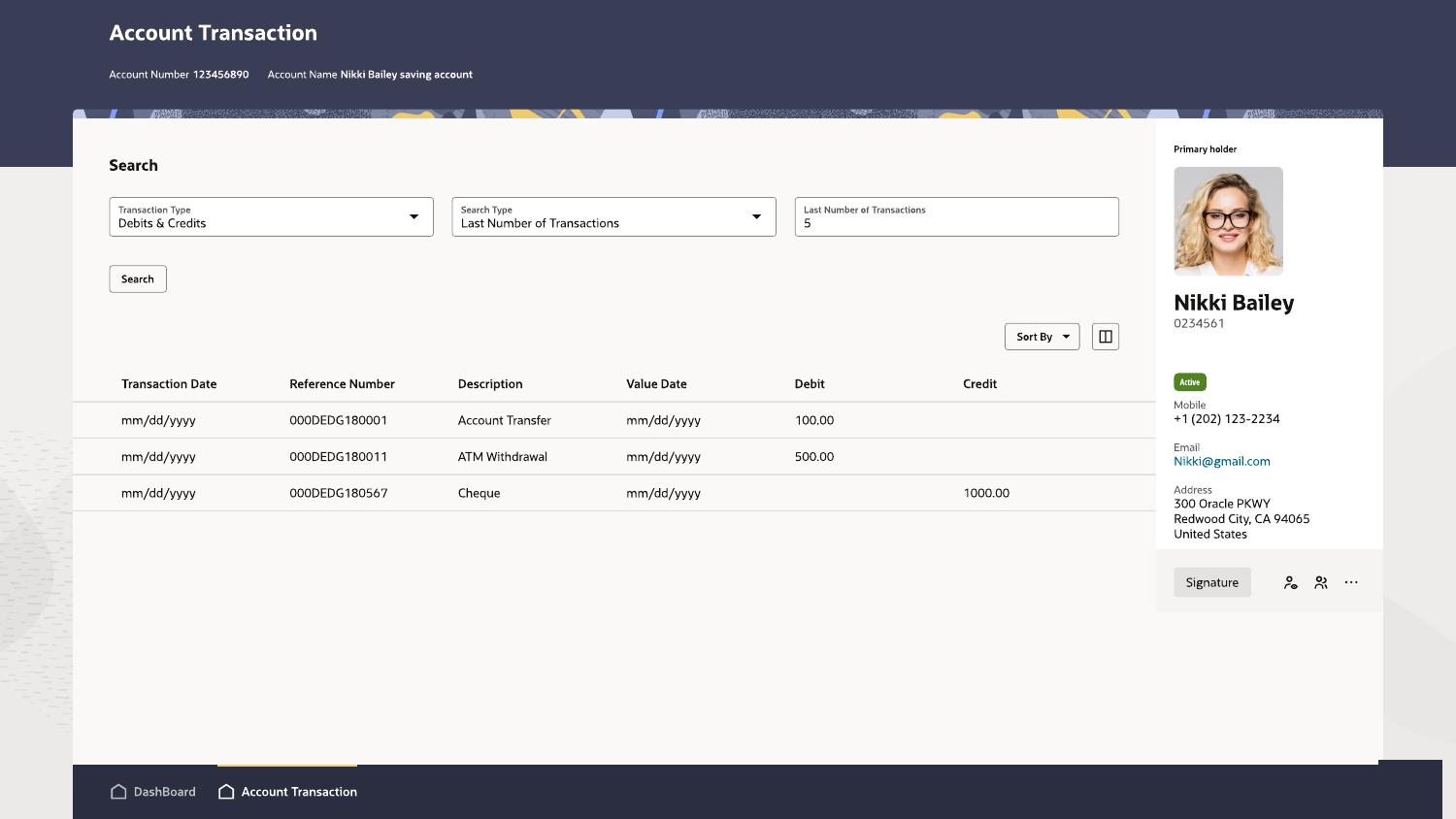
Account transaction
Servicing

Persistent Context

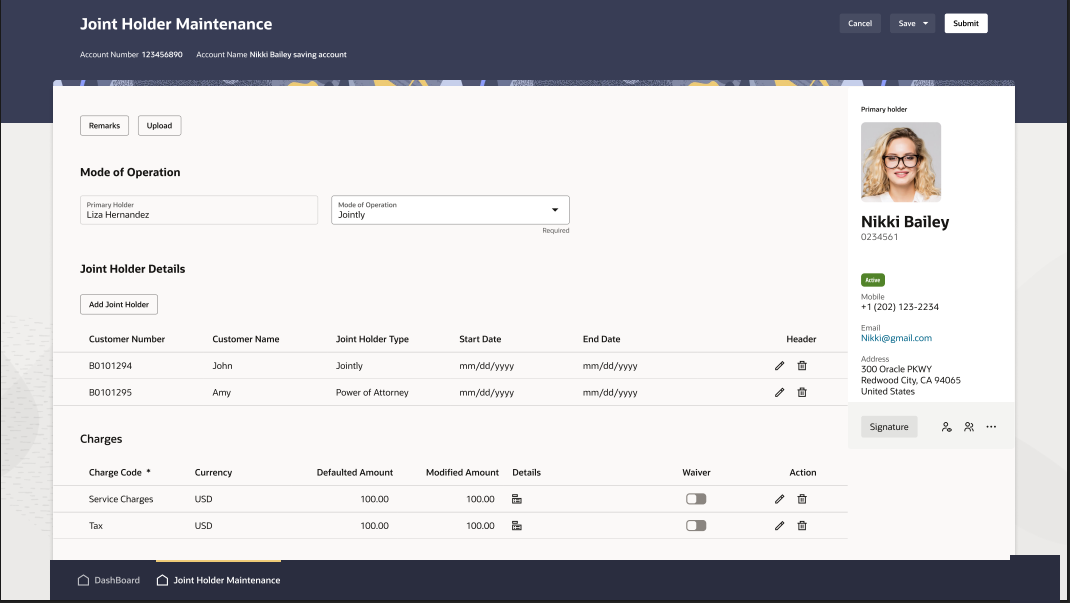
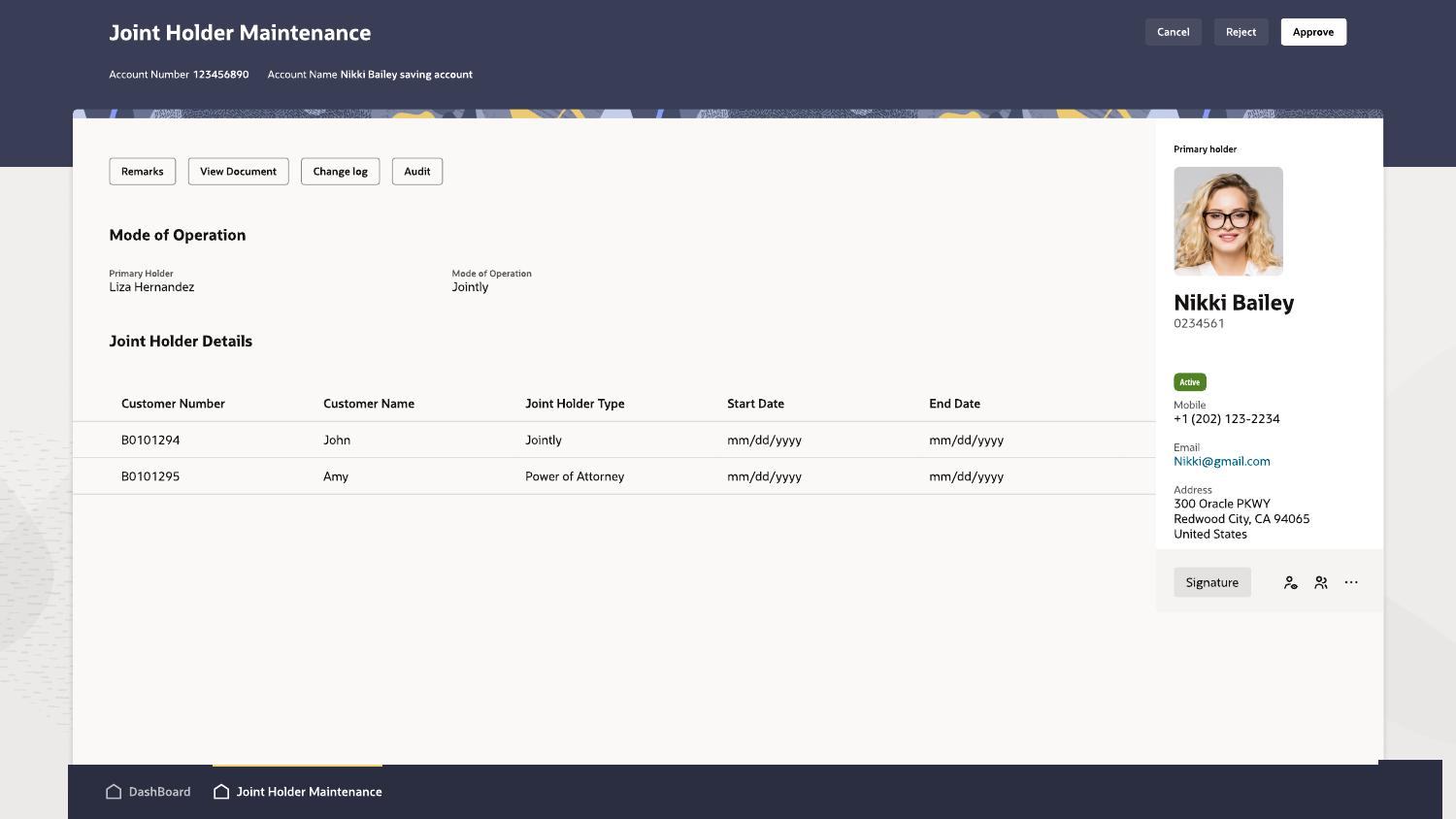
Joint Holder Maintenance
Accounts

Joint Holder Maintenance

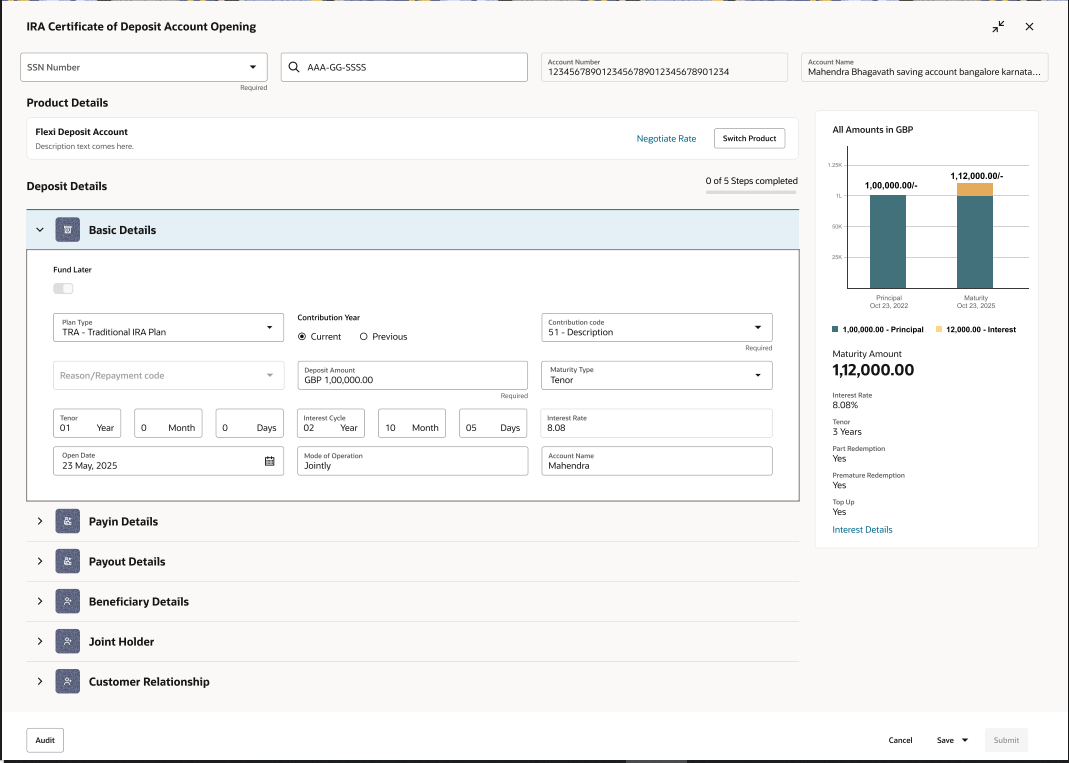
IRA CD opening
Deposits / IRA

IRA CD Opening

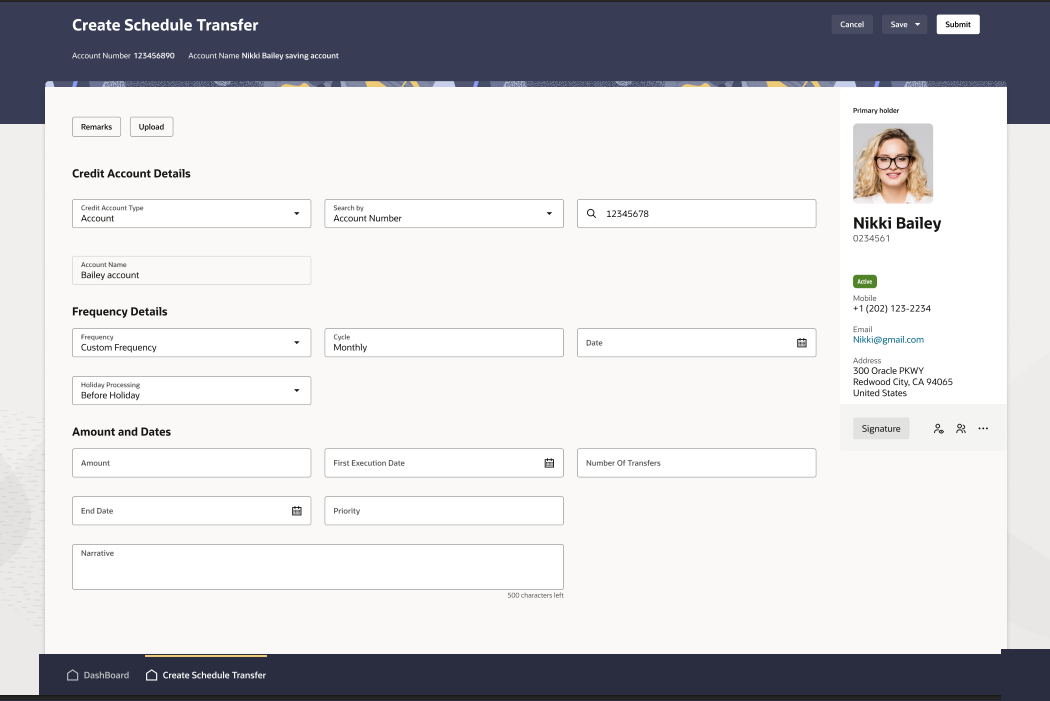
Scheduled transfer
Transfers

Scheduled Transfer

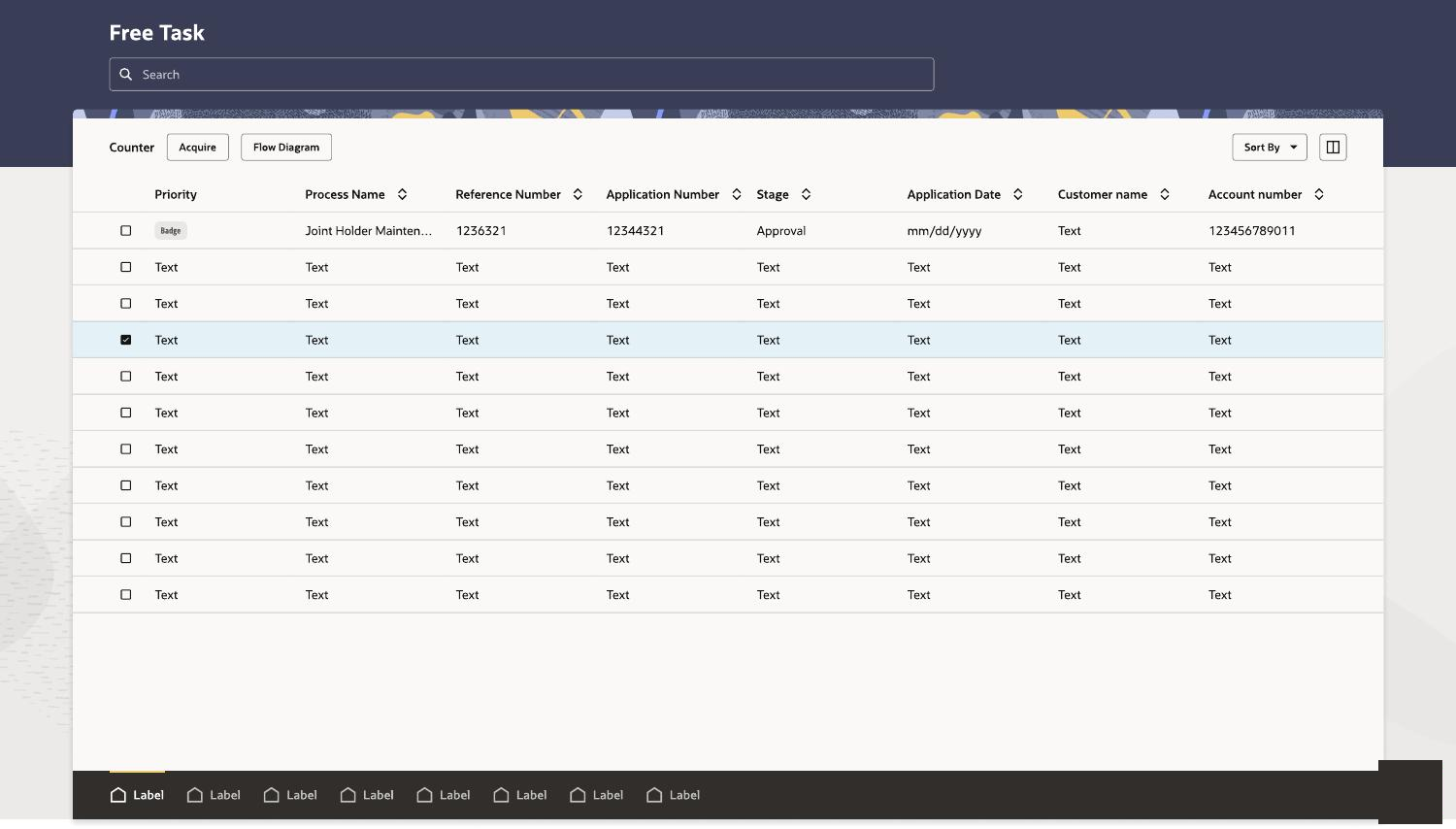
Free task queue
Maker / Checker

Task Queue

Checker review
Maker / Checker

Checker Review

06 · Design Leadership & Influence

Creating consistency across Oracle Banking products

The Oracle Banking and FLEXCUBE ecosystem includes multiple products designed by more than 20 designers. As Principal Designers, we needed to look beyond individual product requirements and align on how common experiences, interaction patterns and visual standards should work across the wider Oracle Banking portfolio.

Cross-product alignment

Connecting Principal Designers across product teams

Challenge

Different banking products and design teams could solve similar problems in different ways, creating inconsistency for users moving between modules.

My influence

I collaborated with Principal Designers across Oracle Banking to review shared use cases, align interaction approaches and bring greater consistency across products under one banking umbrella.

Design-system partnership

Working with the Redwood team on component gaps

Challenge

Some specialized banking workflows could not be fully supported by the components available in the Redwood design toolkit.

My influence

I connected with the Redwood team to present the banking use cases, discuss component constraints and agree on when customized templates were needed.

Leadership outcome: This collaboration helped us avoid isolated one-off solutions, balance product-specific needs with Redwood standards and create reusable patterns that could be applied consistently across Oracle Banking workflows.
07 · User Testing & Iteration

Testing changed the post-transaction experience

I validated key workflows with 10+ bank users. Testing was used to check navigation, task clarity, customer context, action visibility and confidence after completing a transaction.

Key finding: one post-transaction destination did not work for every role

Before

After a successful transaction, the application automatically returned users to the Dashboard.

What testing showed

Tellers often need to immediately perform another transaction, while Single Window Operators may continue servicing the same customer across multiple activities.

Design update

The success state was changed to provide two clear next-step choices:

Return to Previous PageContinue the current customer or transaction context.
Go to DashboardFinish the workflow and return to the main workspace.
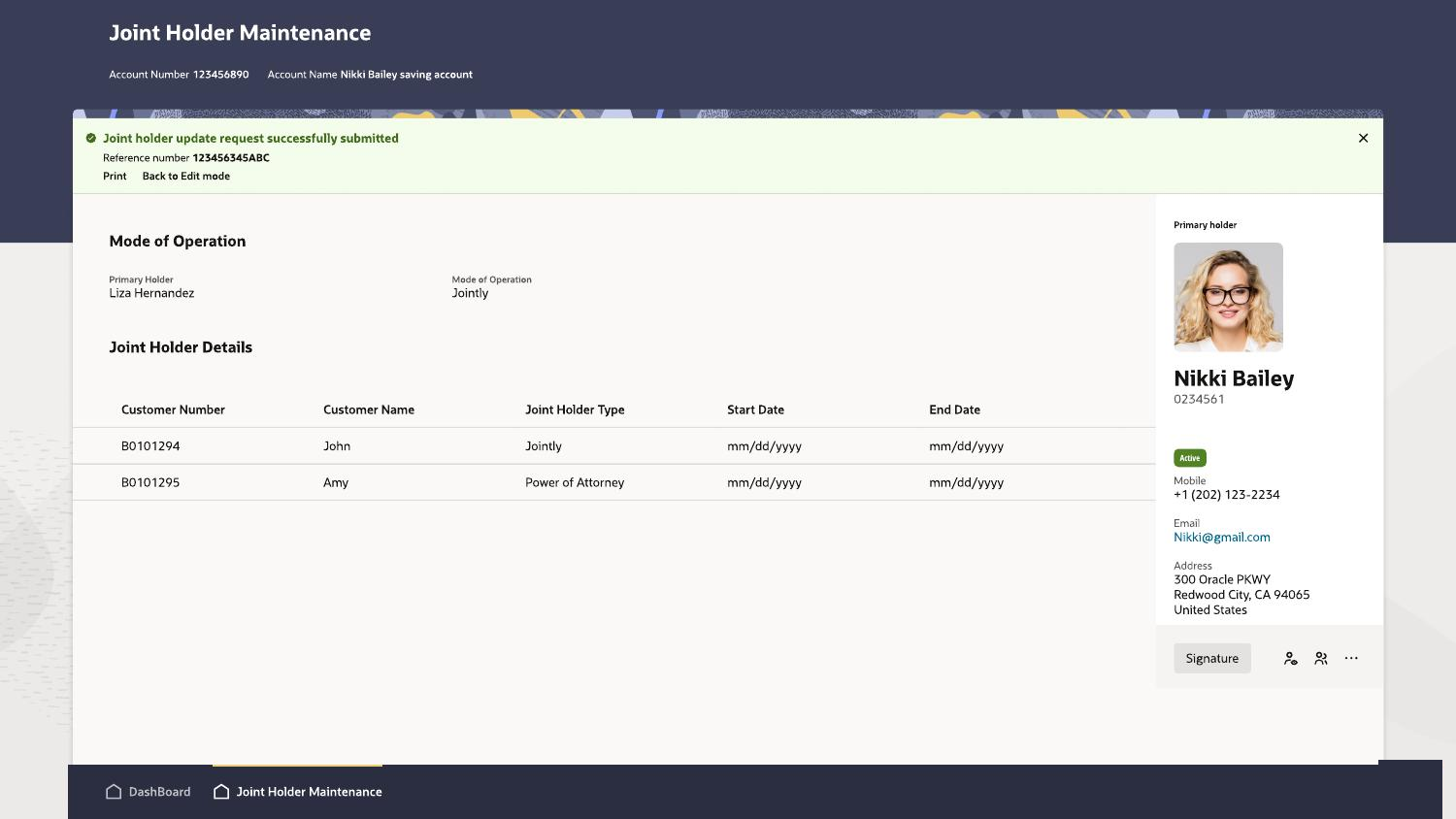
Transaction success state
Updated success state — clear completion feedback and next actions.

Navigation

Reduce scanning and improve task discoverability.

Information load

Break overloaded workflows into clearer steps.

Transaction feedback

Make completion, status and next actions explicit.

08 · Impact & Result

Reducing navigation complexity, task steps and servicing time

Research and workflow evaluation showed measurable improvements in navigation complexity and in the effort required to check a transaction's status using a customer-provided reference number.

220 → 29 Menu groups consolidated — an 87% reduction
5 → 2 User actions required to check transaction status
2 min → 45 sec Time required to find and check transaction status

Why the navigation was reduced

Research showed that each branch persona regularly used around 30 functions during a typical day. Keeping all 220 menu groups visible created unnecessary scanning and increased dependence on product knowledge. The redesigned information architecture consolidated the menu into 29 clearer groups and prioritized role-relevant, frequently used tasks.

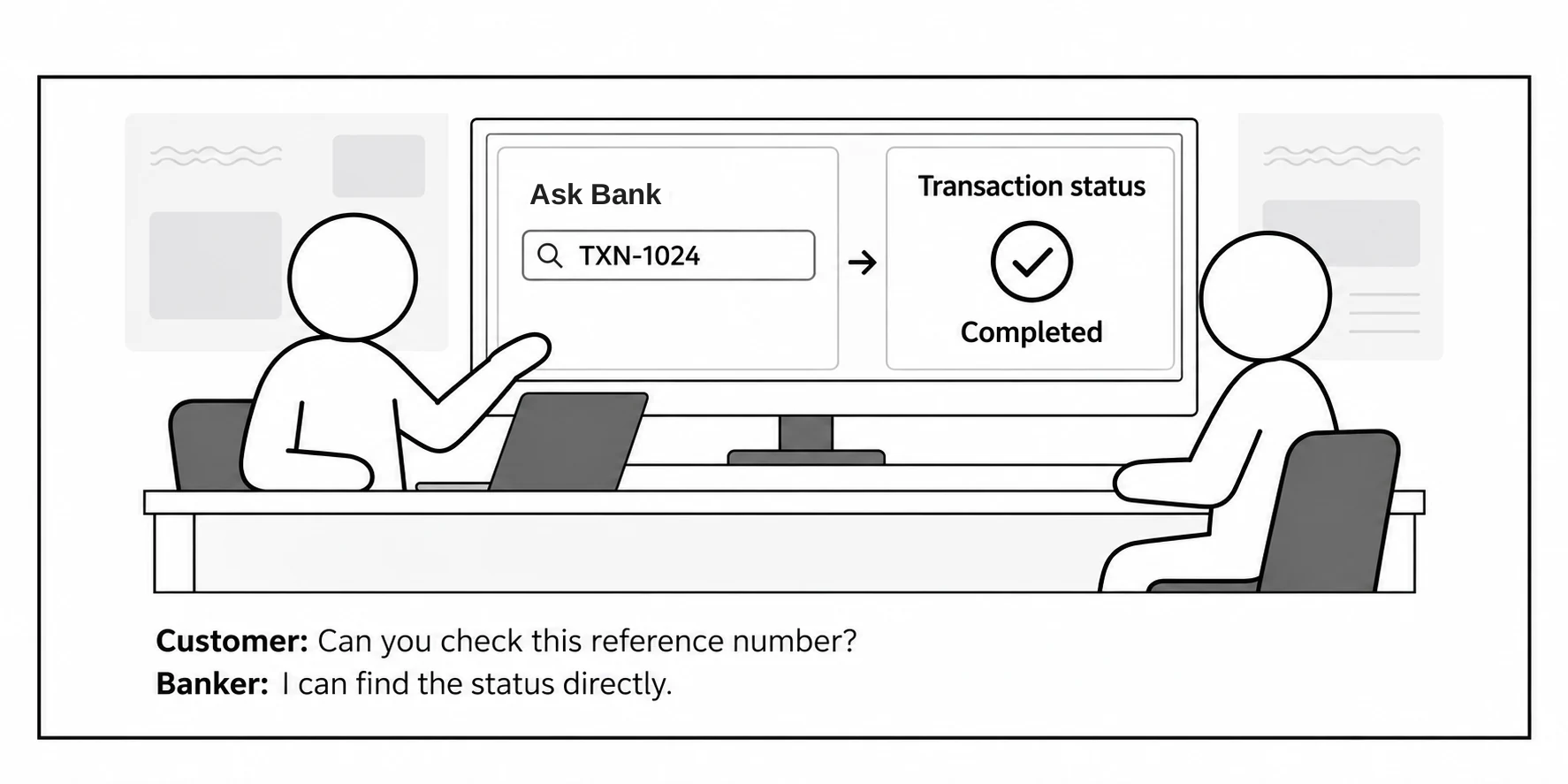
Example: checking transaction status using a reference number

Before · Five user actions

Mega Menu → Task → Free Task → select and enter Reference Number → check status

Bankers needed to know where the function was located and move through several levels before entering the reference number shared by the customer.

After · Two user actions

Open Ask Oracle → enter the Reference Number

Ask Oracle interprets the reference number and displays the relevant transaction status without requiring the banker to navigate through the product menu.

Observed during workflow evaluation: The streamlined flow reduced the estimated task time from approximately 2 minutes to 45 seconds — a 63% reduction — helping bankers respond to customer status enquiries faster.
Result

A more focused and consistent branch servicing experience

The redesign established a clearer navigation model, reduced screen complexity, kept important customer context visible and created a flexible completion experience for different branch roles. Shared patterns across Accounts, Deposits, IRA and transaction workflows also improved consistency, while usability testing with 10+ bank users helped refine the final direction.

© Designed & Coded by Mahendra Bhagavath